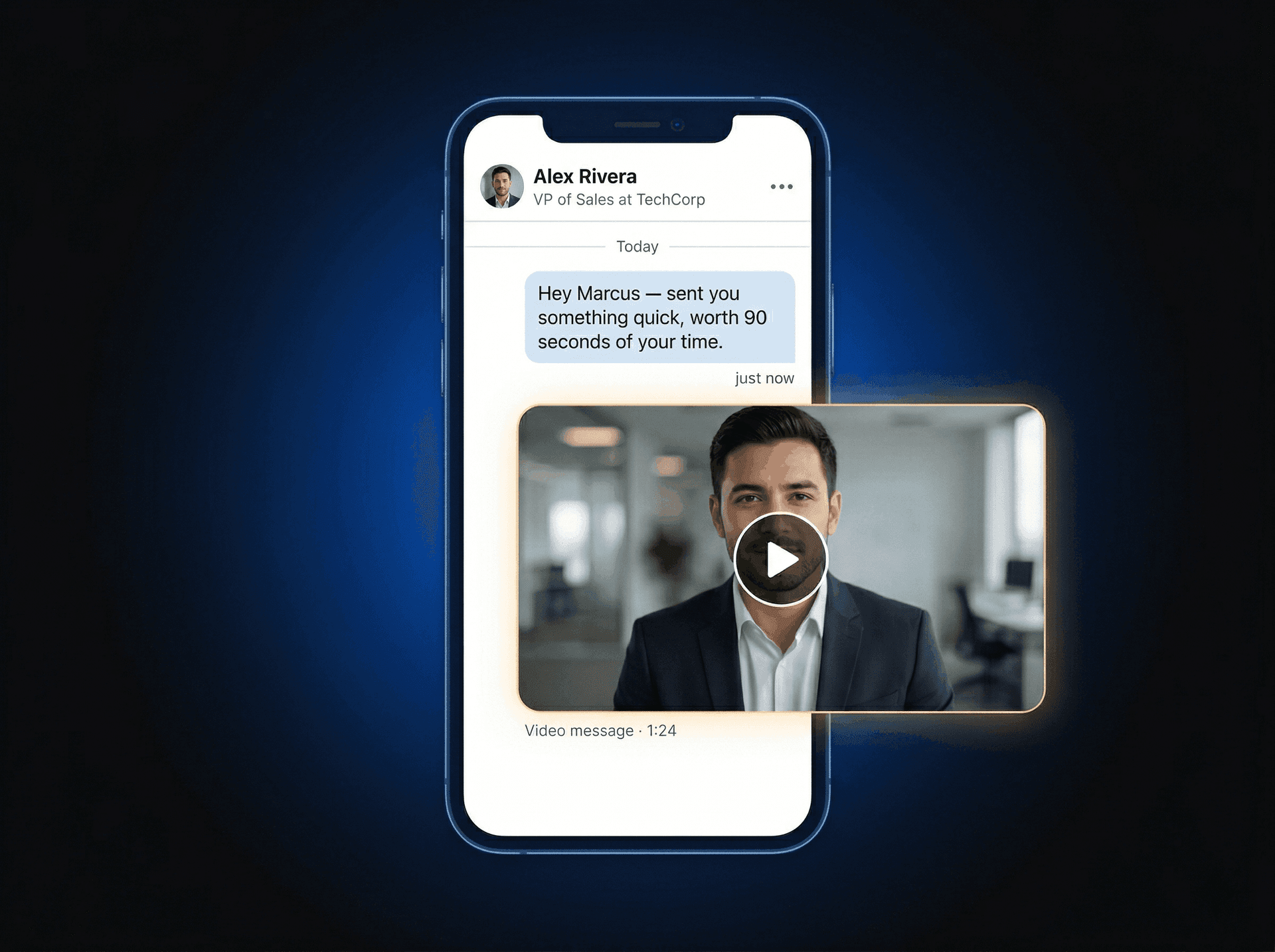
From LinkedIn profile to video in the DM.
See the full workflow for reps and managers — from first visit to closed reply.
One rep. One prospect. Two minutes.
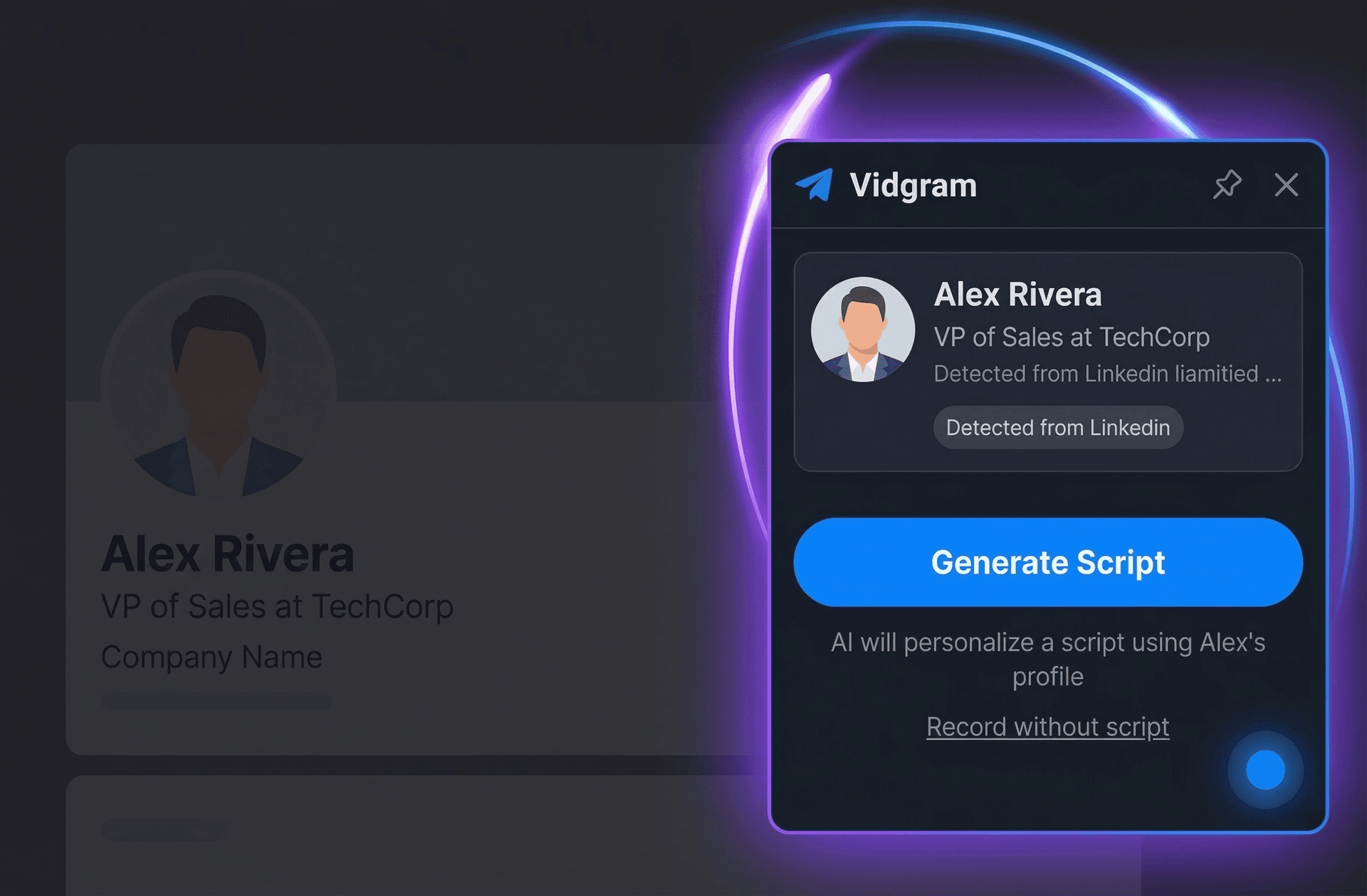
Visit a LinkedIn profile — prospect data appears instantly
The Vidgram extension activates automatically when you land on a profile. Name, title, company, and their About section are pulled from the page and ready in the sidebar. No clicking, no searching.
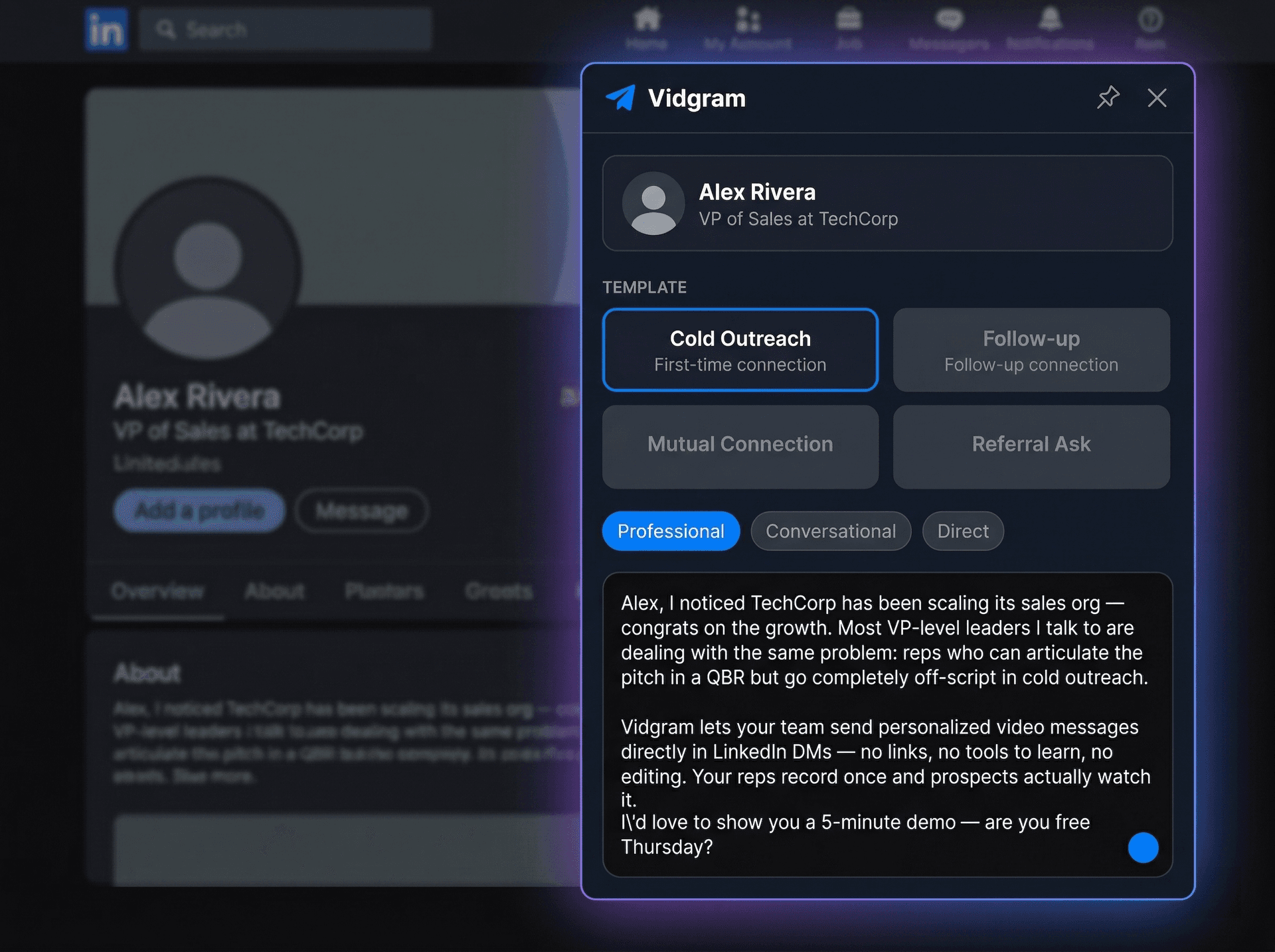
AI generates a personalized script
A script tailored to this specific person appears instantly. Edit it, tweak the tone, or use it as-is.
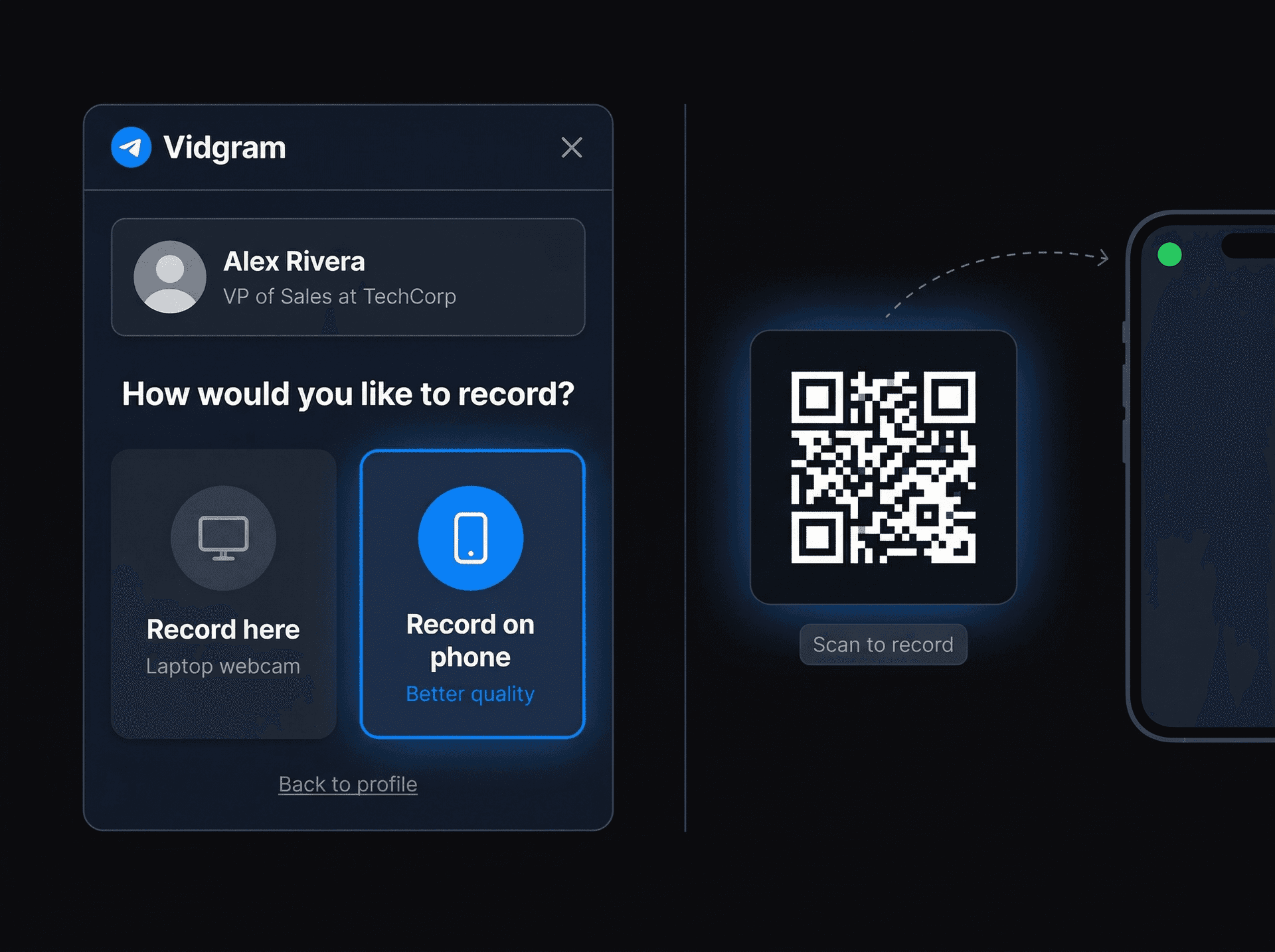
Record on laptop or phone
Hit record directly in the browser, or scan a QR code to use your phone's rear camera for professional quality.
Two ways to send. Both land.
Send the video file directly for maximum open rates — prospects play it right in the DM with zero friction. Or send a tracked link for engagement analytics and real-time notifications. Pick whichever fits the moment.
Best for cold outreach. No link to be suspicious of — the video plays right in the conversation. Higher open rates because there's nothing to click.
Video drops into the DM composer
The video appears as a native attachment in LinkedIn's message composer — thumbnail visible, ready to send.
Prospect hits play right in the thread
No link to click. No landing page to visit. The video plays inline in the DM on both desktop and mobile. Zero friction for the prospect.
No engagement tracking with this method — but if the prospect replies or books a meeting, you don't need a dashboard to tell you it worked.
Best when timing your follow-up matters. You get a branded video page with real-time engagement data so you know exactly when to reach back out.
A tracked link drops into the DM
The video is hosted on a branded landing page with your name, avatar, and an optional booking calendar. The link is injected into the DM composer.
Prospect lands on a personalized video page
They see a page built for them — their name, your face, and a video that plays instantly. Captions, transcripts, and a meeting CTA included.
Real-time watch notification
The moment your prospect clicks play, you get notified with exactly how much they watched. Follow up while you're top of mind.
Set the messaging. Measure the results.
Configure company messaging
Set value propositions, buyer personas, industry angles, tone, and approved CTAs in the Messaging Console.
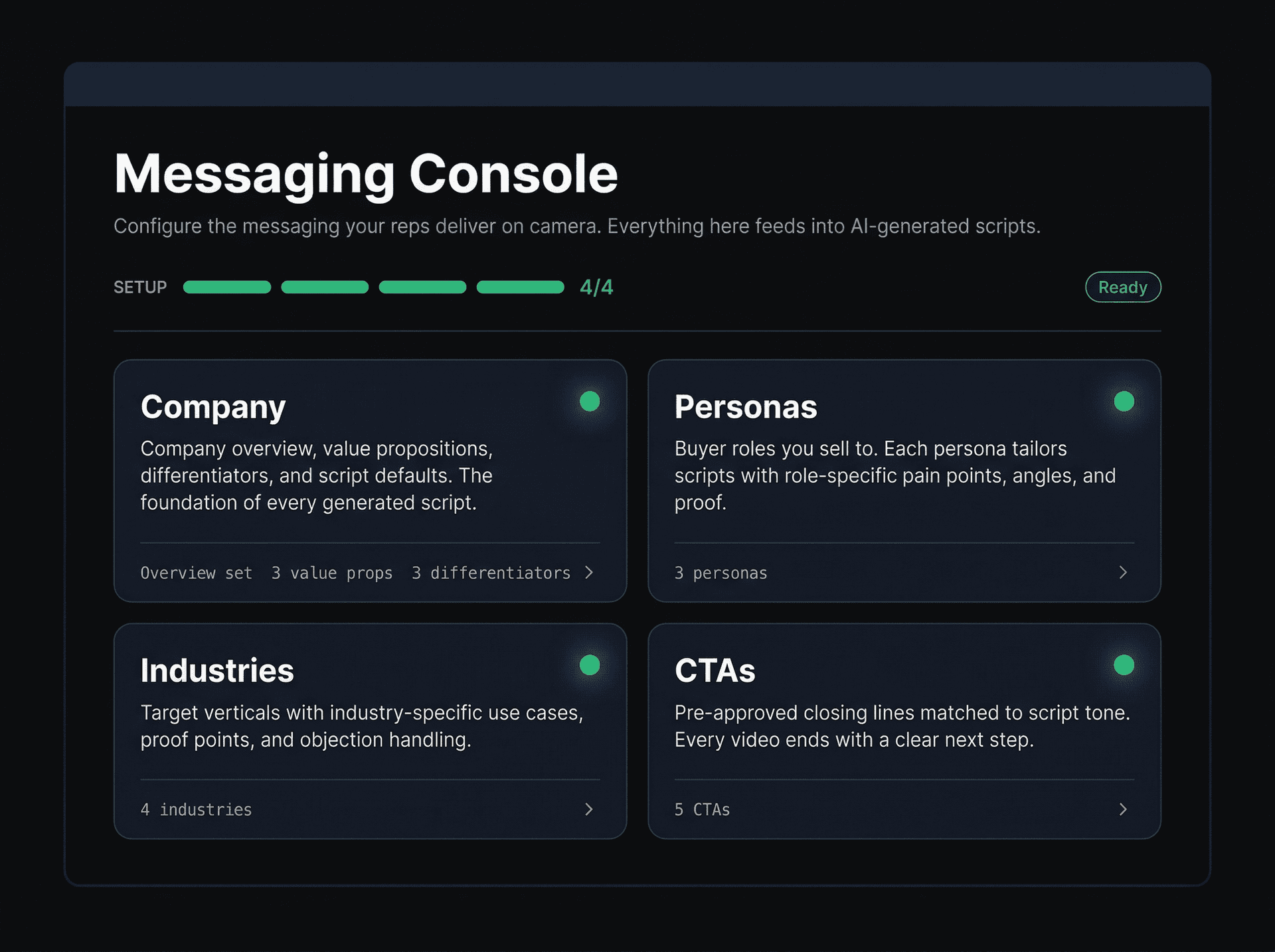
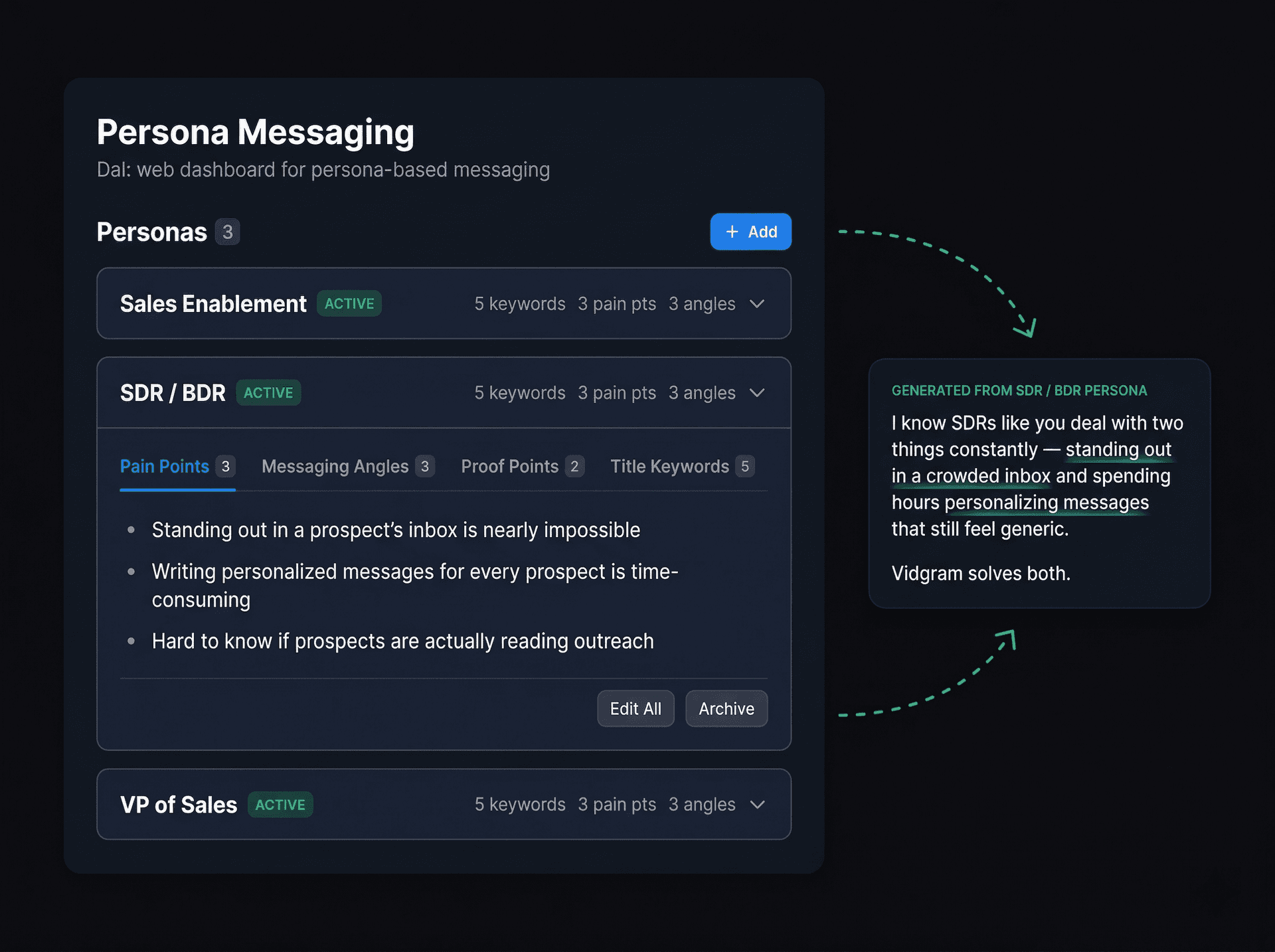
Scripts reflect your configuration
When any rep generates a script, the AI pulls from your messaging configuration automatically. No training needed.
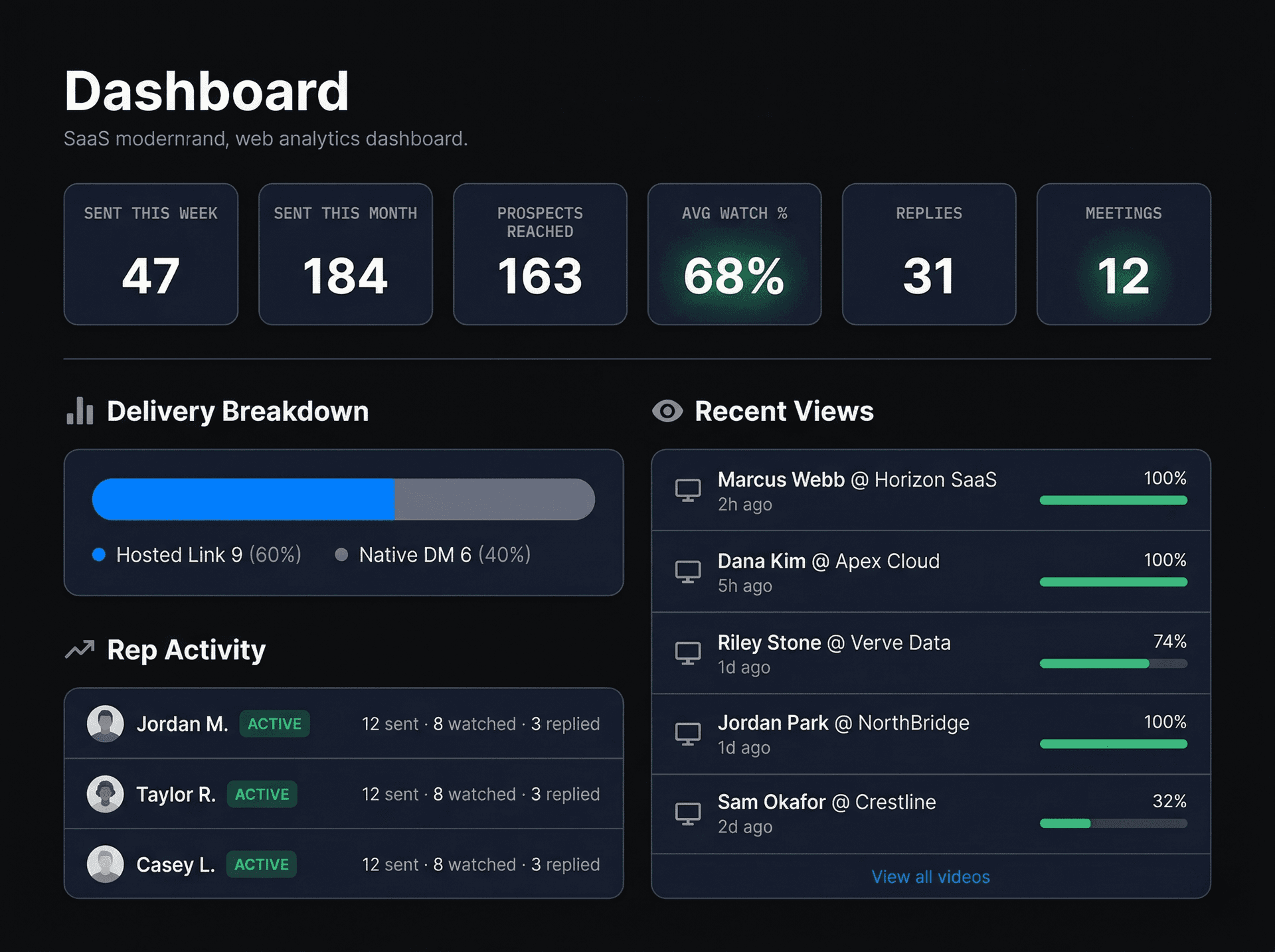
Team activity dashboard
See videos sent, watched, and replied to across your entire team. Know who's active and who needs a nudge.
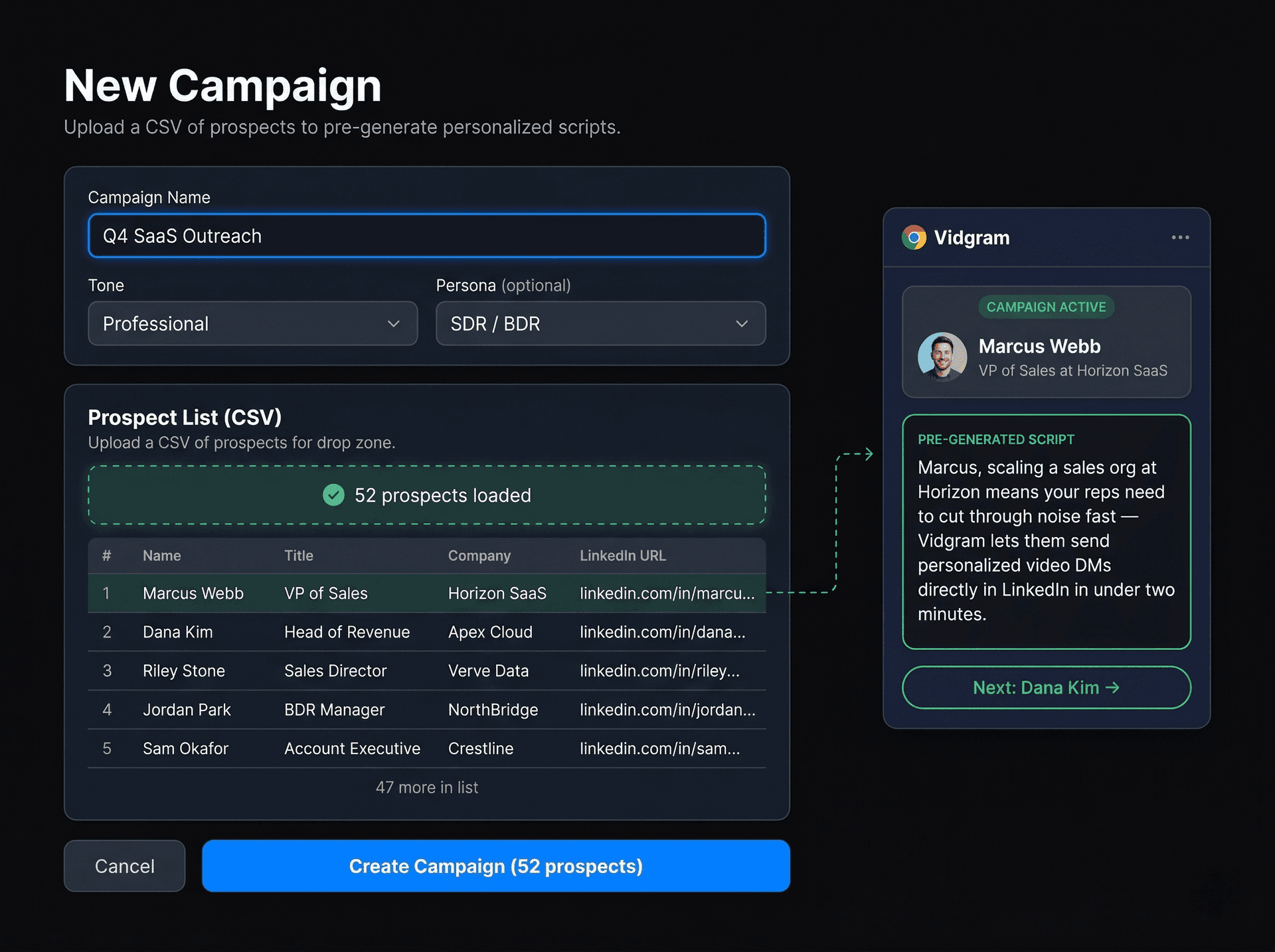
Campaigns for targeted outreach
Upload a prospect list via CSV. Scripts are pre-generated for each person. When a rep visits a matching LinkedIn profile, the script loads automatically and the extension guides them to the next prospect after each send.
Does it actually look professional?
Yes. Here's what your prospect sees when they open the LinkedIn DM thread — a video thumbnail with a play button, not a URL they have to decide whether to click.